

Please follow these steps to add Reelfy into an EComposer page
Install both apps from the Shopify App Store.
Open the EComposer editor, search for Reelfy within the extension panel.
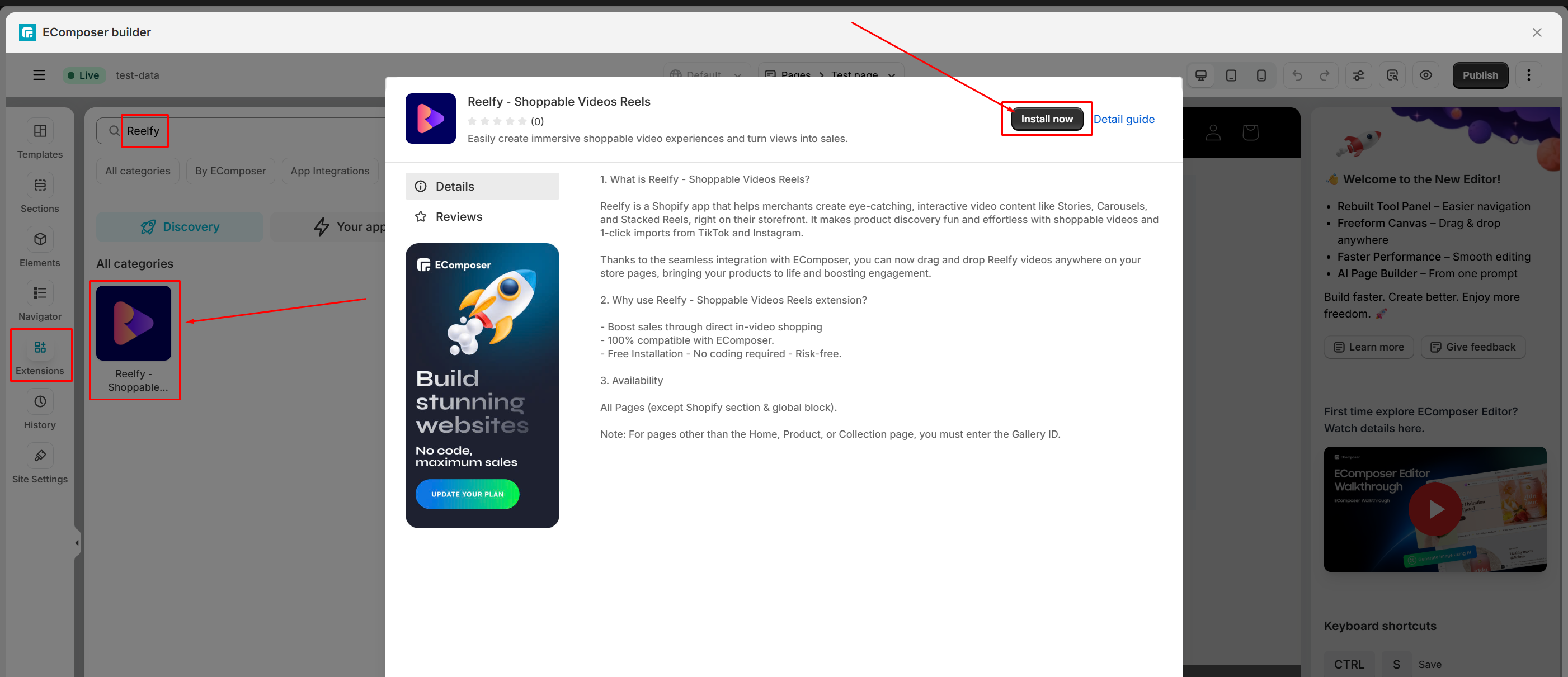
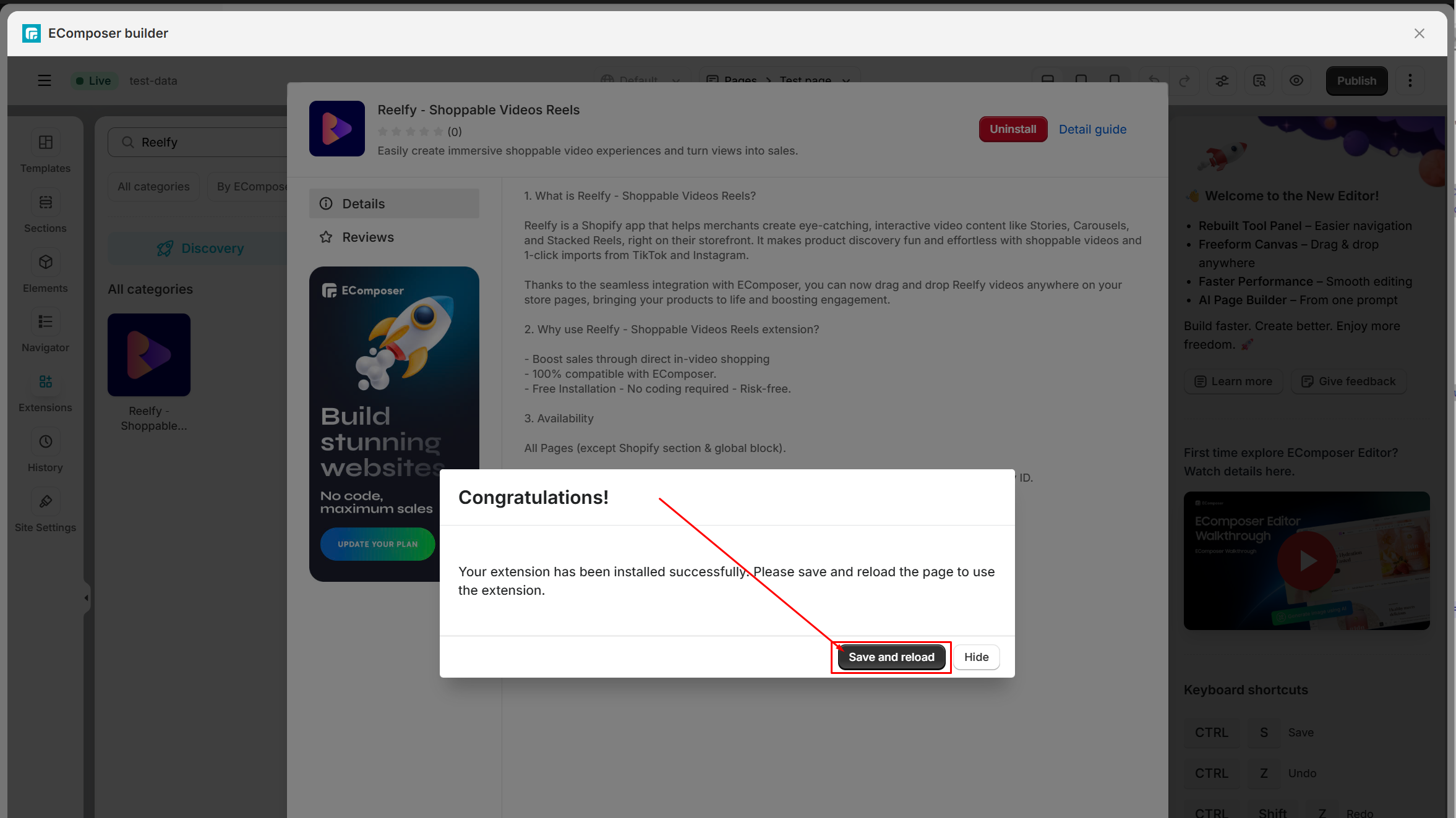
Click on Reelfy, then click the Install now button on the pop up to use Reelfy as the other elements. Finally you need to click Save and reload.
Add a new section so you can put Reelfy element into it.
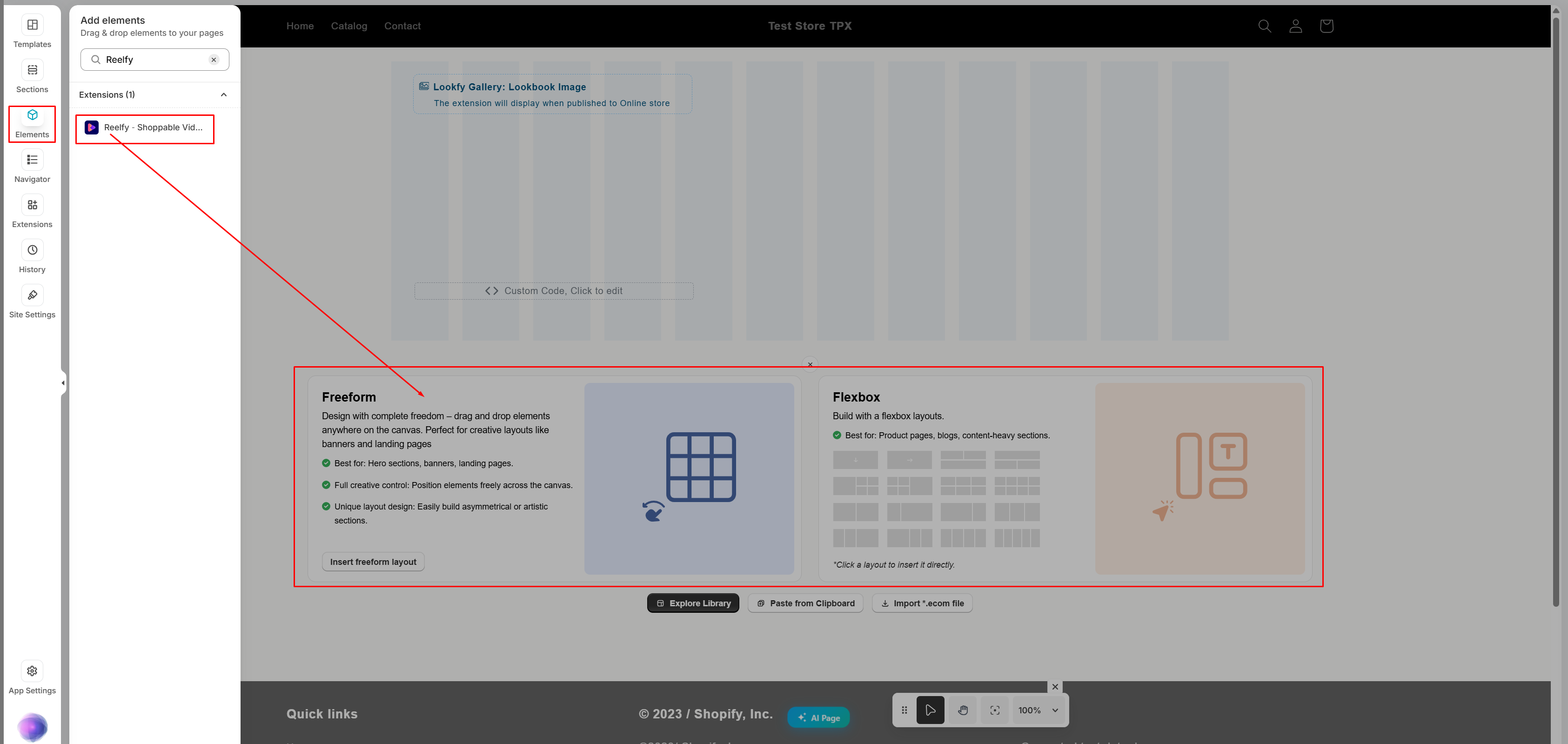
Drag & drop Reelfy element directly into your page layout and customize as needed.
Preview and publish to enjoy it.