

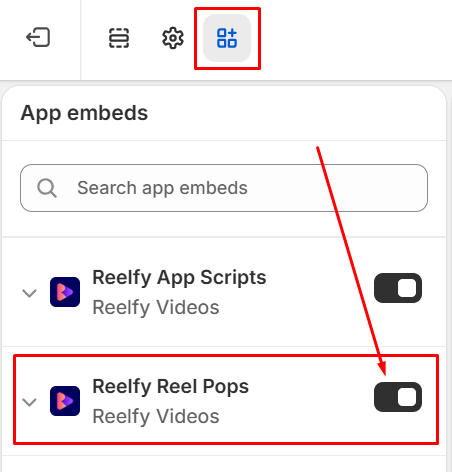
To ensure the Reel Pops gallery working on your store, you must enable the Reelfy Reel Pops.
At Online Store → Themes → “Edit theme” or “Customize” (Current theme),
please click App embeds, then click the toggle button to enable the Reelfy Reel Pops if it is disabled.
Finally, click the Save button on the top right corner to apply the change.