Instead of sending static images or links, you can now deliver an interactive, video-first shopping experience inside emails. Customers simply click on a video in the email to open a video popup with product details, where they can explore and purchase seamlessly.
This turns your email marketing into a shoppable video channel, helping increase engagement and conversions.
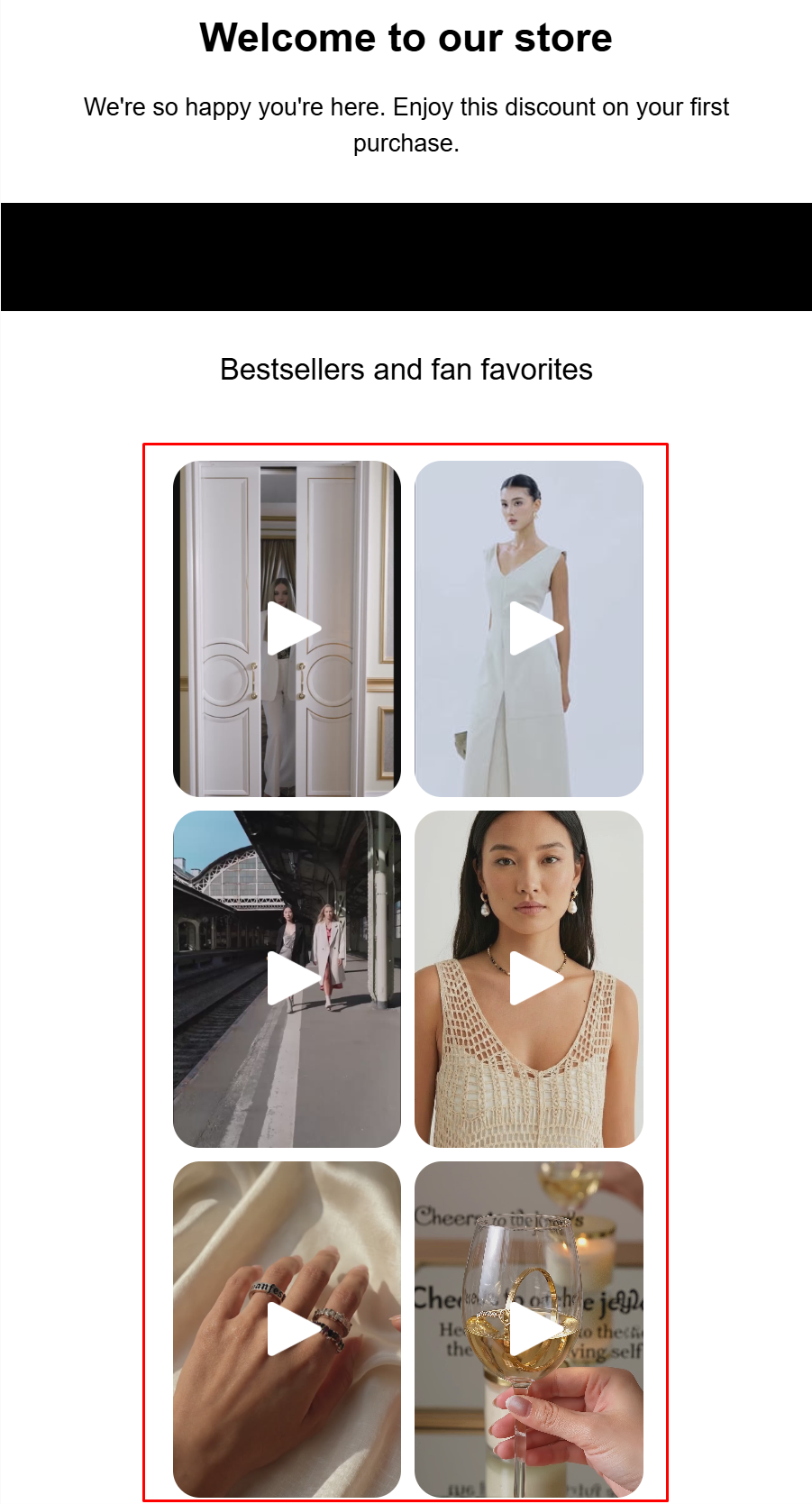
This feature is only available for Reelfy Section and Reelfy Stories.
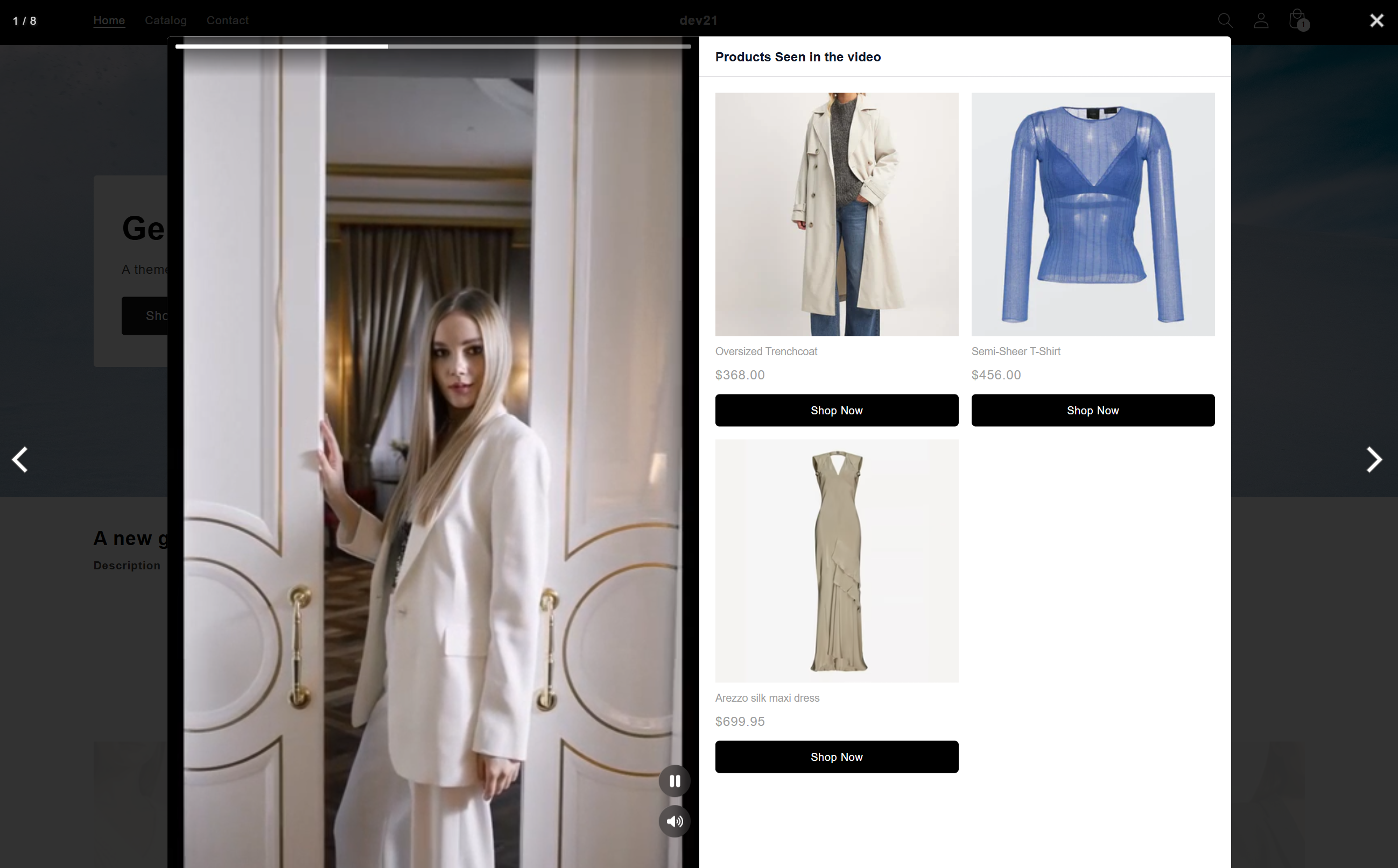
You embed a Reelfy gallery into your email template
Customers receive the email and see video thumbnails
When they click a video:
A hosted video popup opens
Products tagged in the video are displayed
Customers can view details and shop directly
This extends Reelfy’s core experience—interactive, product-tagged videos—beyond your storefront into email.
Turn Emails into Shoppable Experiences: replace static banners with interactive video content that lets customers shop directly.
Boost Engagement: videos naturally attract more attention and clicks compared to traditional email content.
Seamless Shopping Journey: customers move from Email → Video → Product → Checkout
with minimal friction.
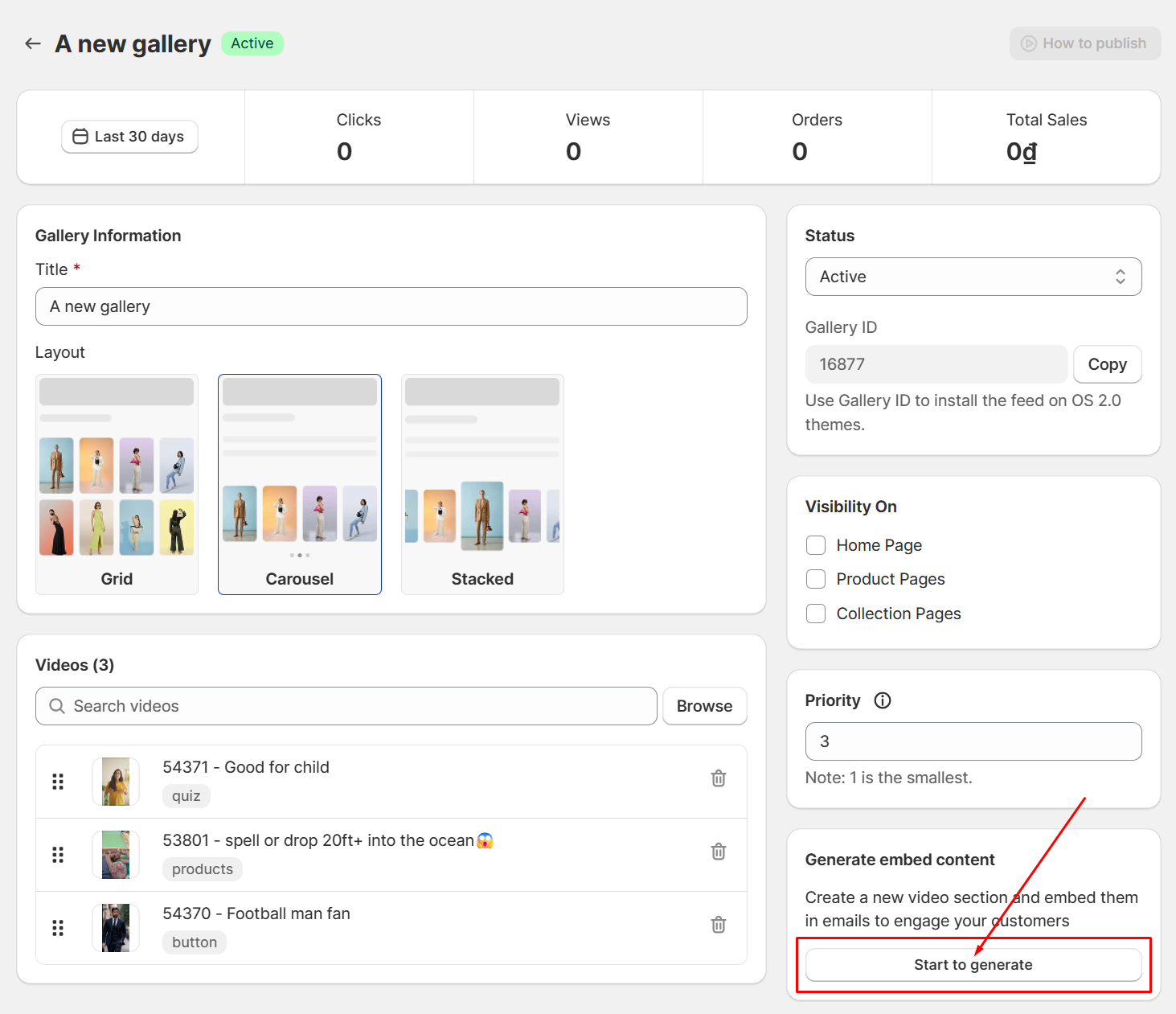
Go to Reelfy Admin, select the gallery/widget you want to use. On right side of the widget settings page you will see the Generate embed content block, click the button Start to generate.
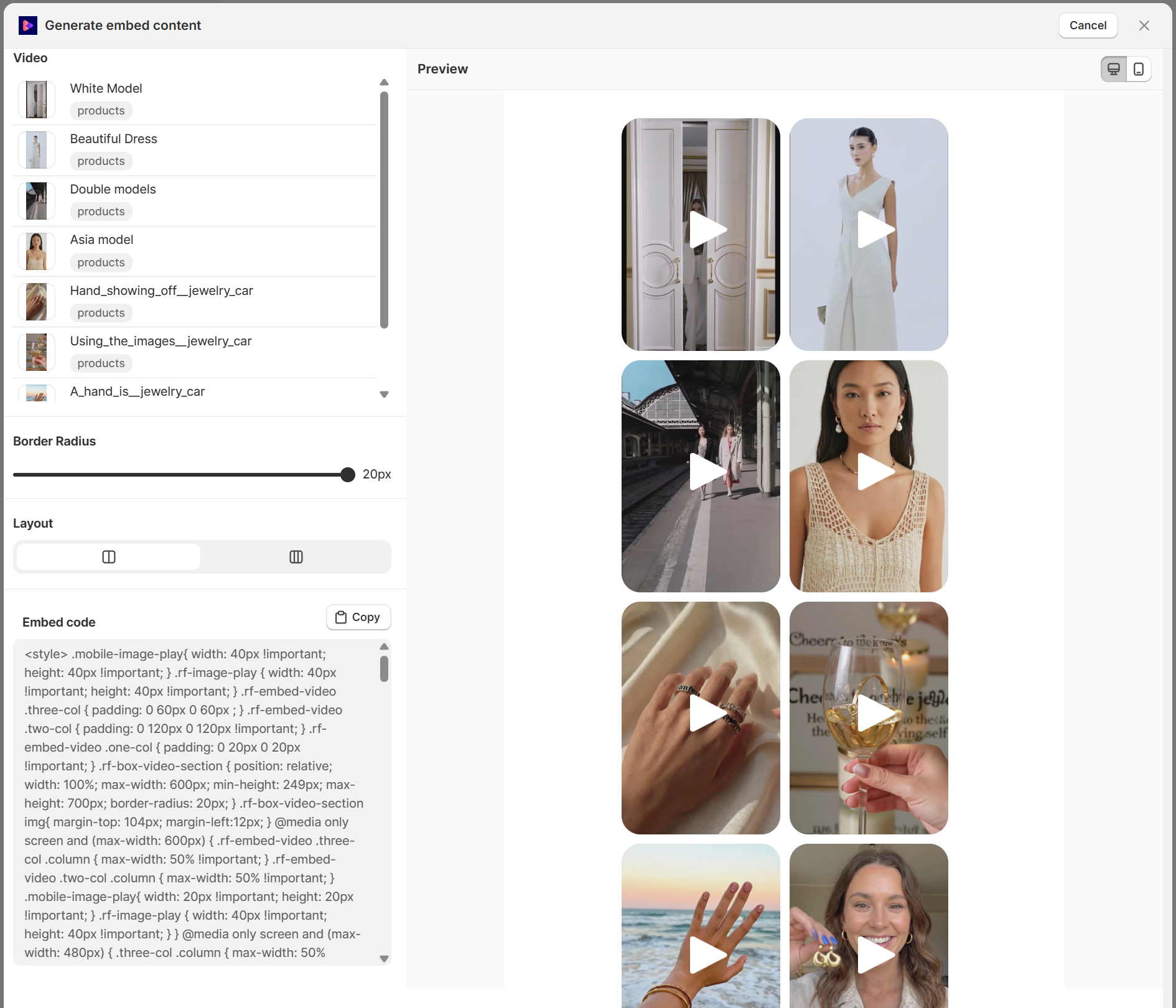
In the opened window, you can customize the display by changing the Border Radius and Layout for Reelfy Section, or changing the Card Width and Card Align for Reelfy Stories.
Border Radius: the border radius of video card in Reelfy Section.
Layout: number of columns in Reelfy Section, you can choose 2 or 3 columns.
Card Width: the width of video card in Reelfy Stories (on desktop only).
Card Align: the alignment (left, center, right) for Reelfy Stories.
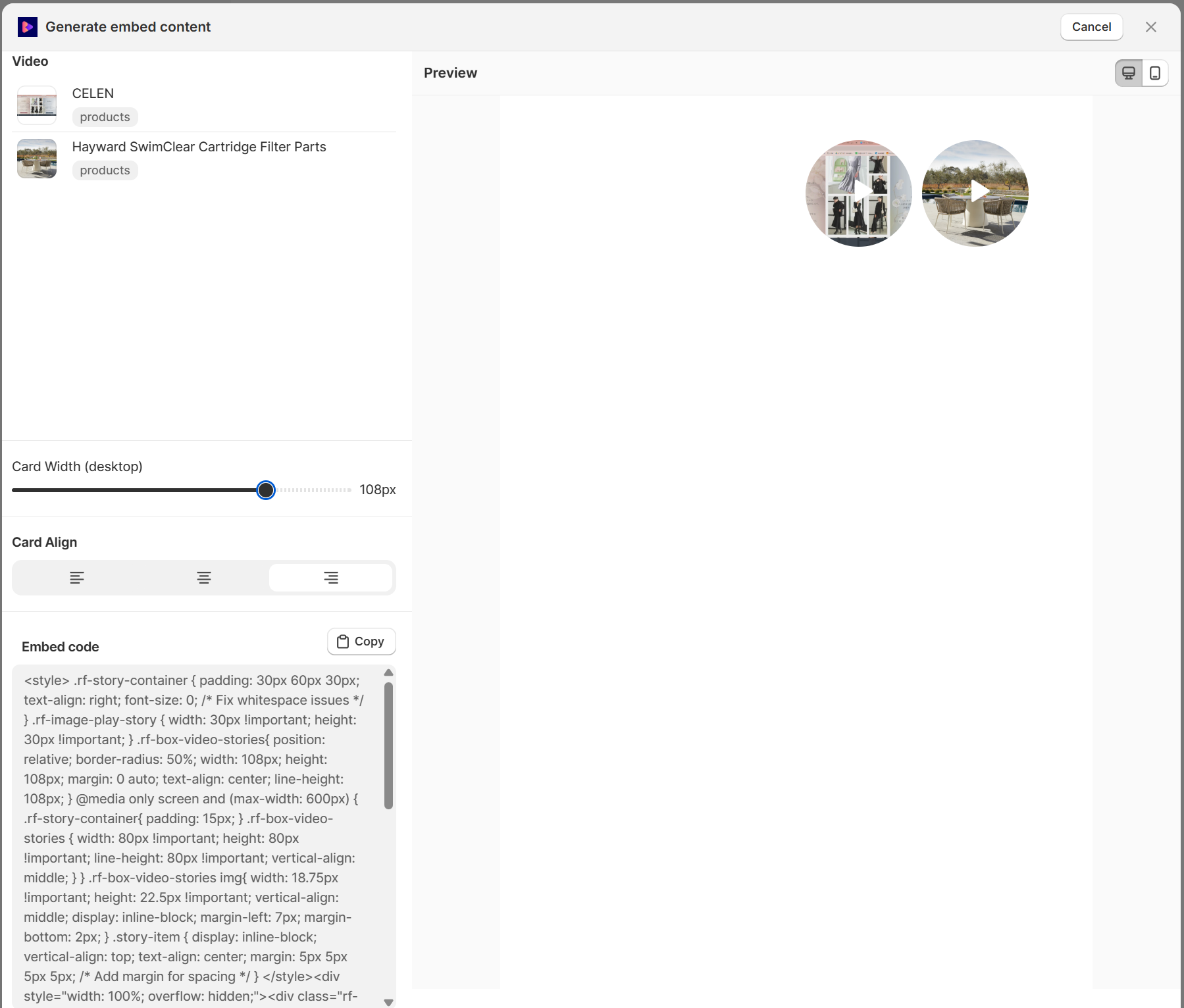
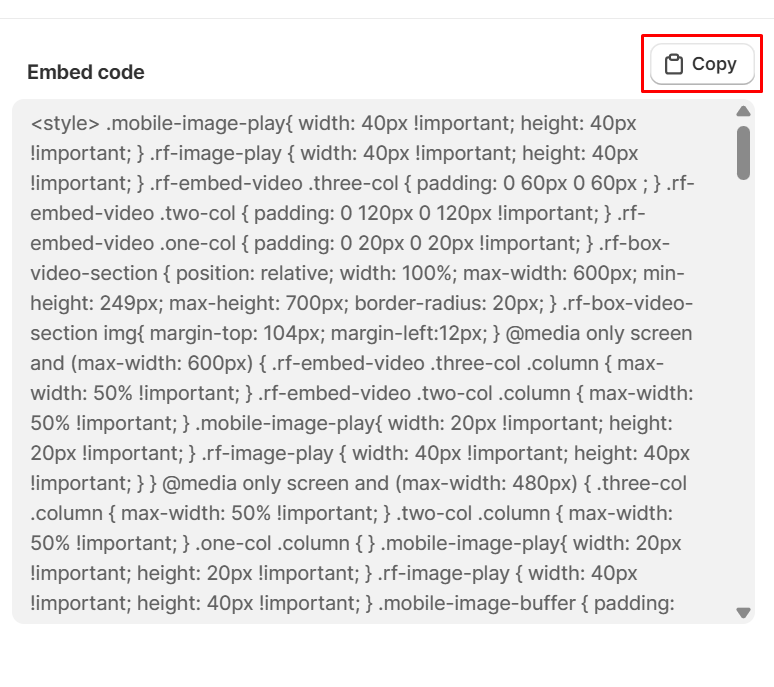
You will see the code in the Embed code block, click the Copy button to copy it.
In the email template, add a Custom Liquid section or a HTML block and then paste the embed code into it.
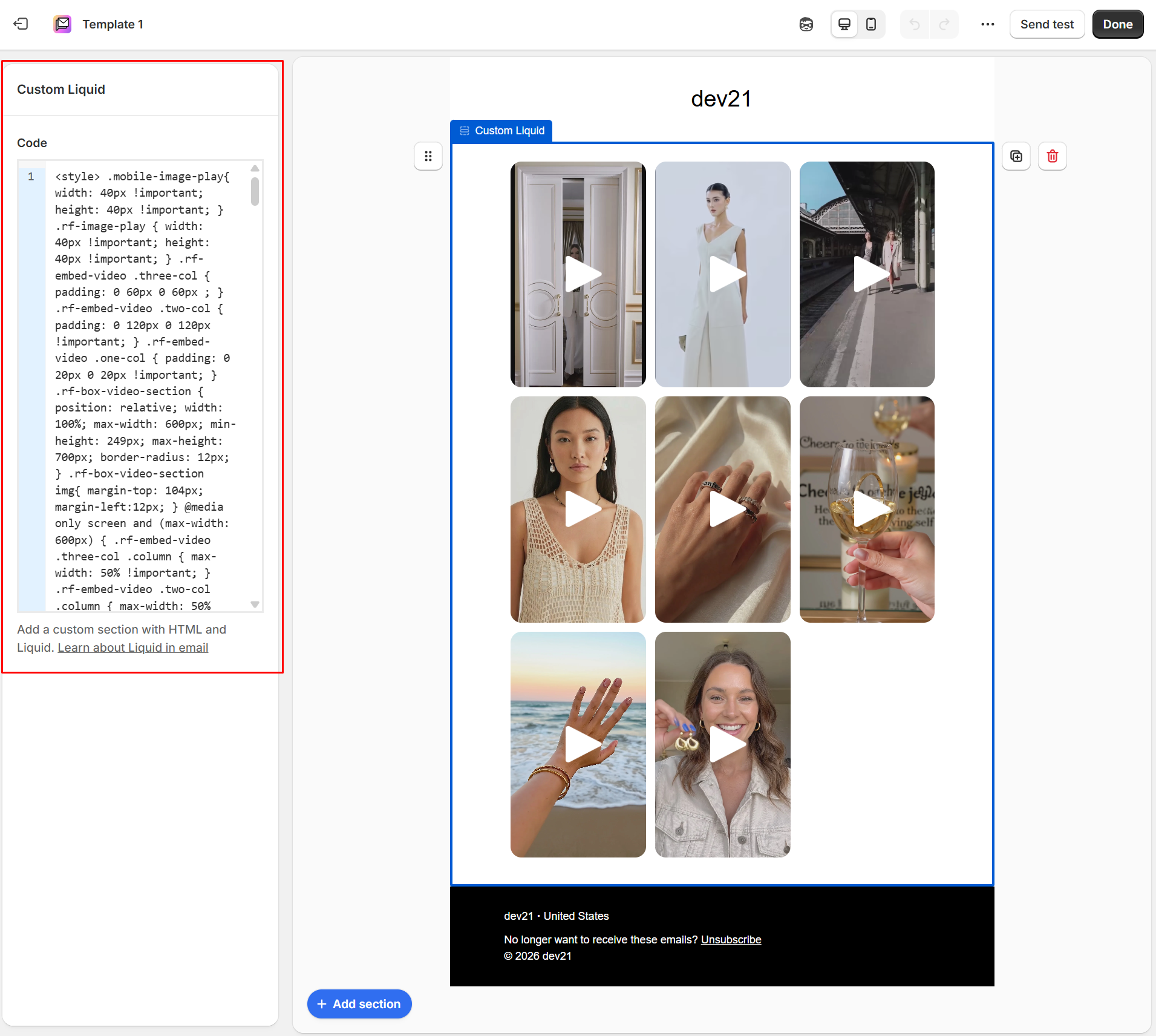
Hit the Done button to save the change and you are done.
Now you can use this template to send emails with interactive shoppable videos.