From Reelfy main menu
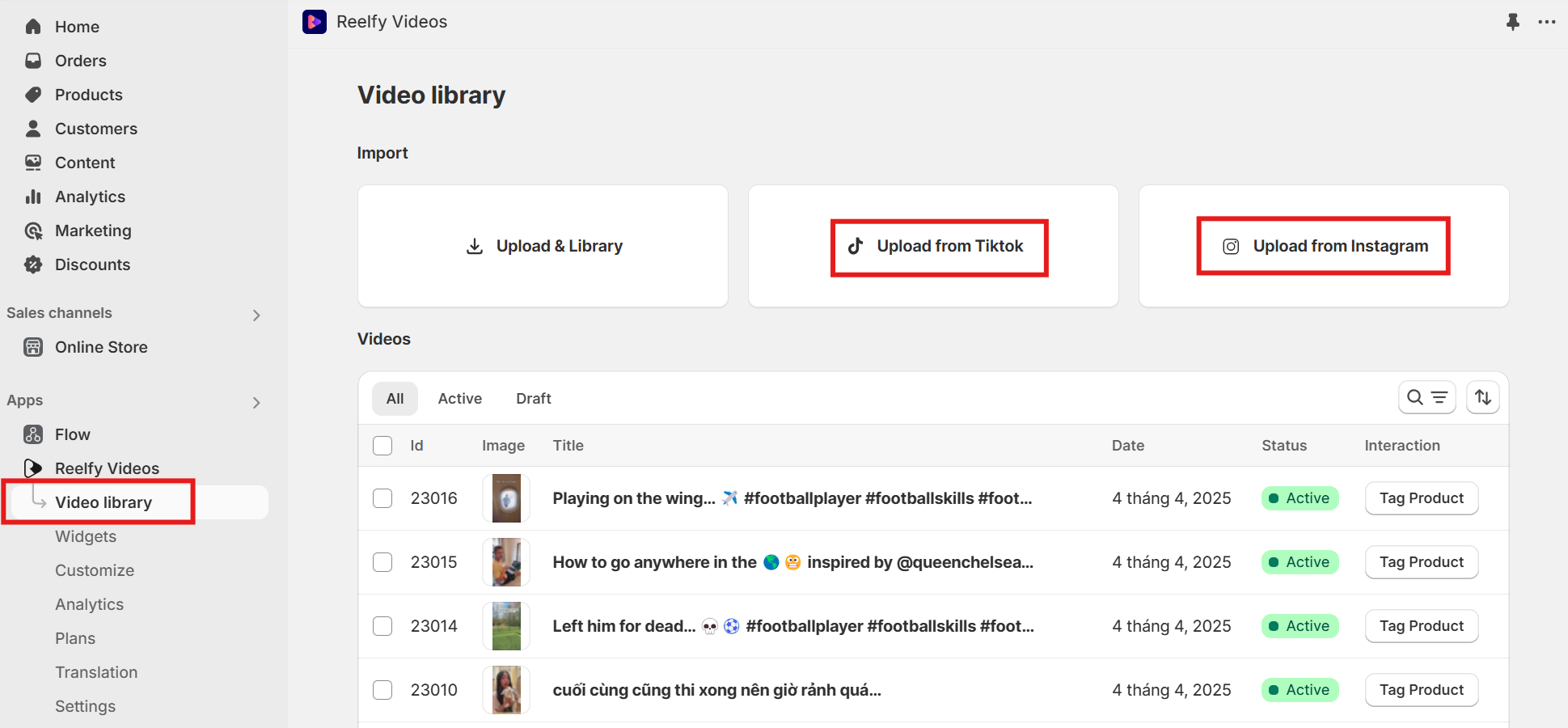
Click Video library
Click Upload from Tiktok
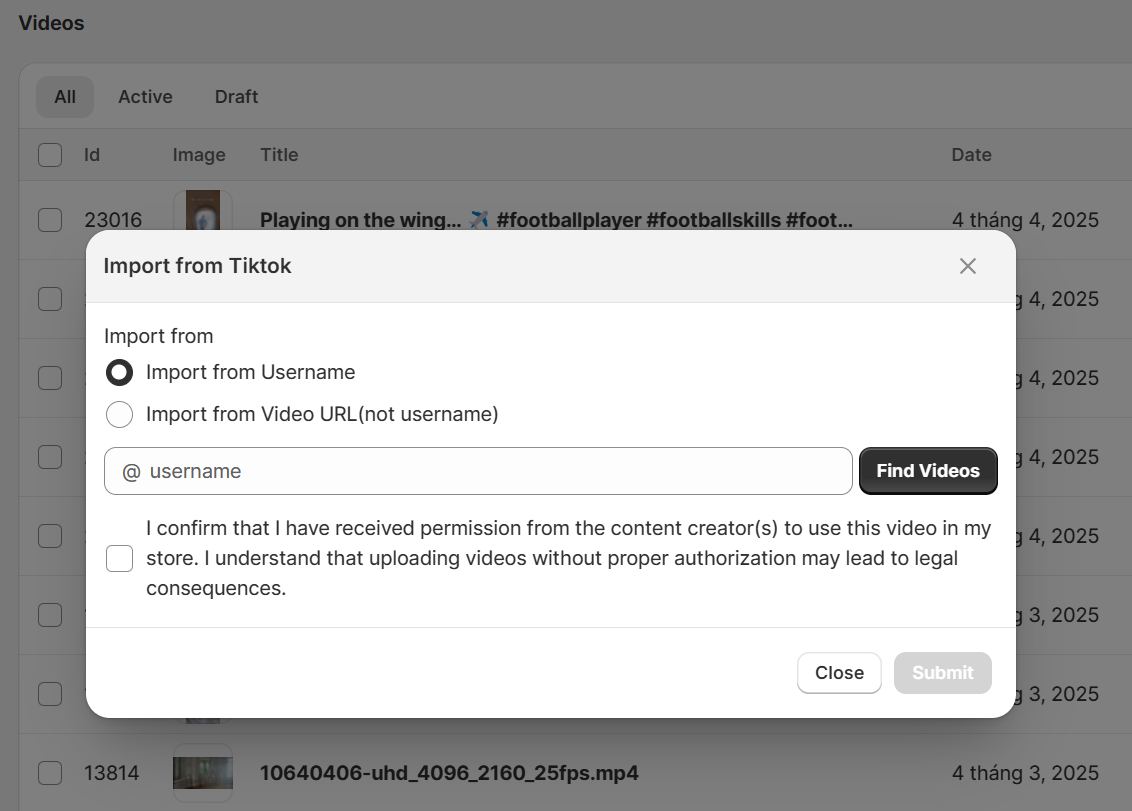
Here you can select:
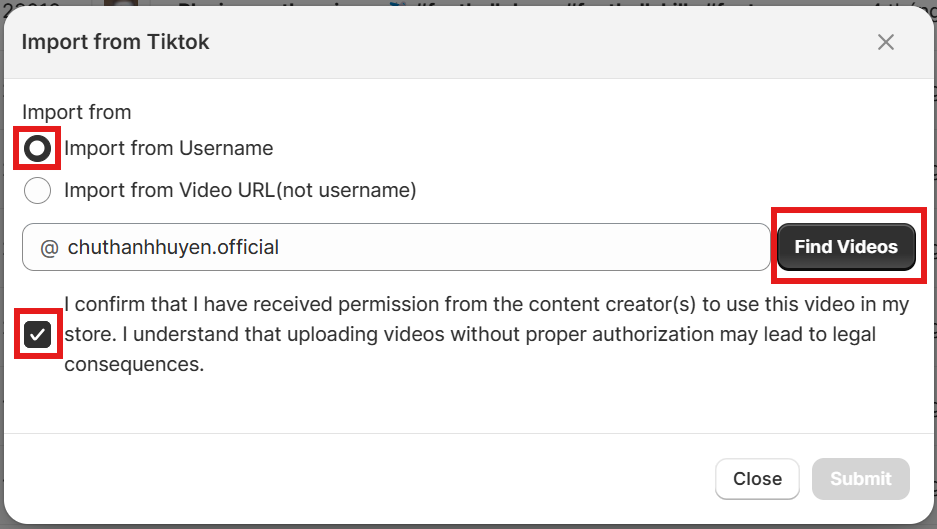
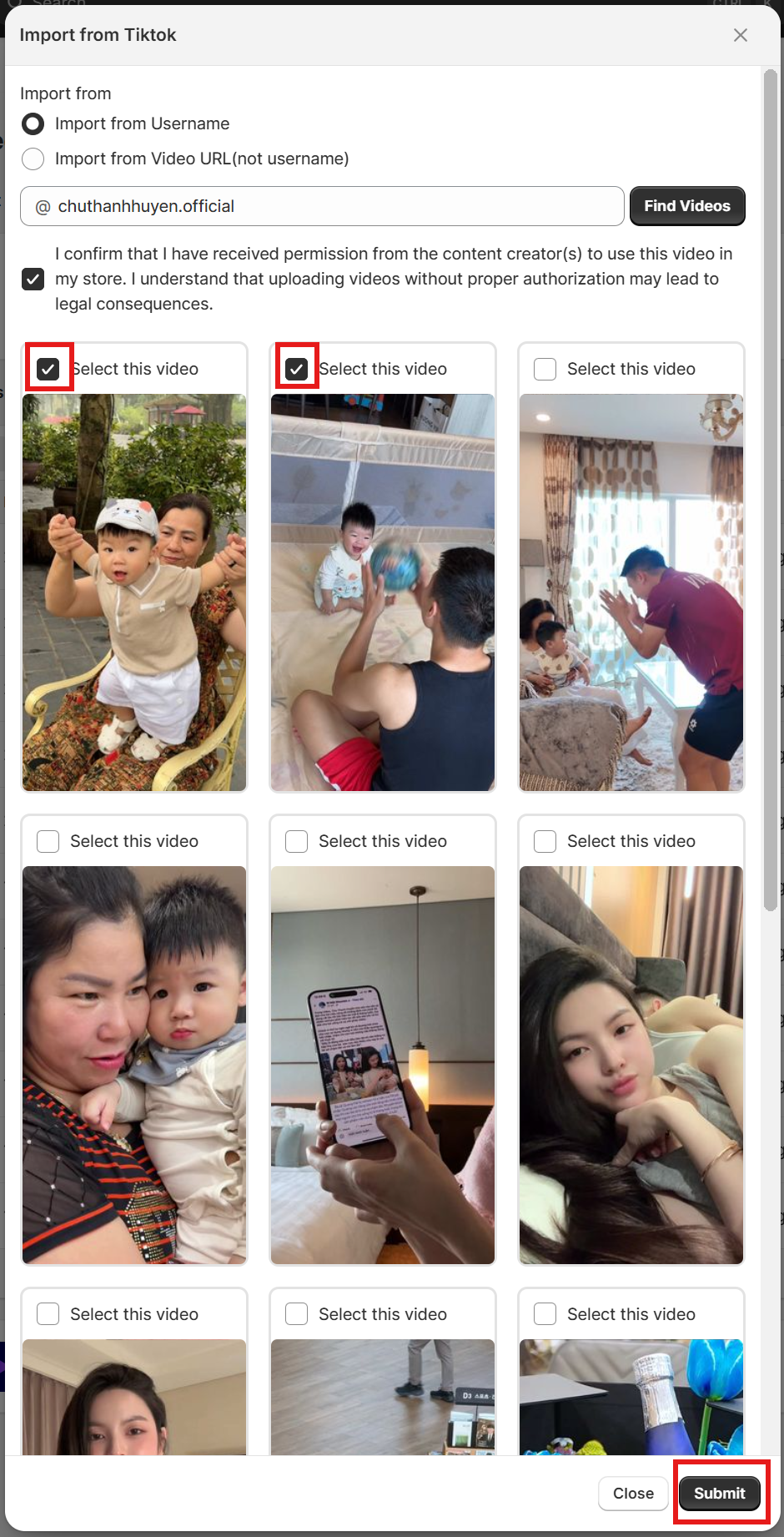
Import from username: input the username of Tiktok chanel, tick the check box below the username field to confirm the permission, then click Find videos; select the videos then click Submit to start import.
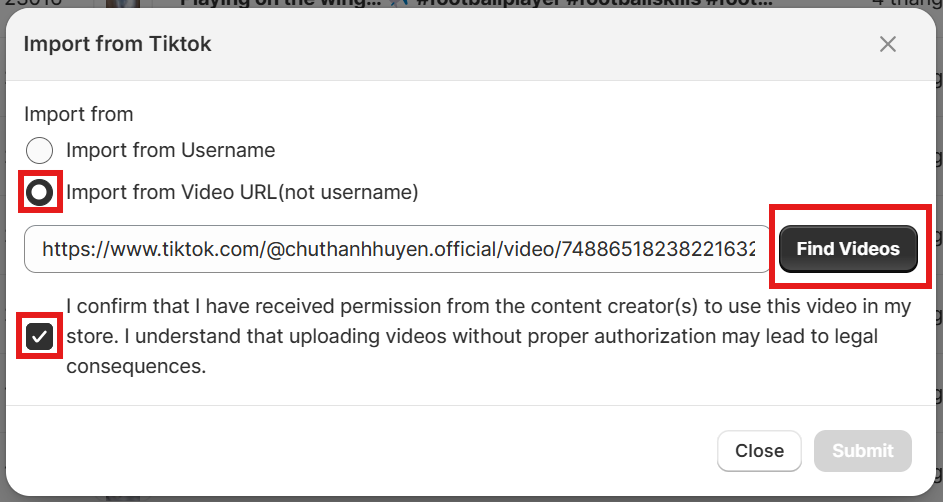
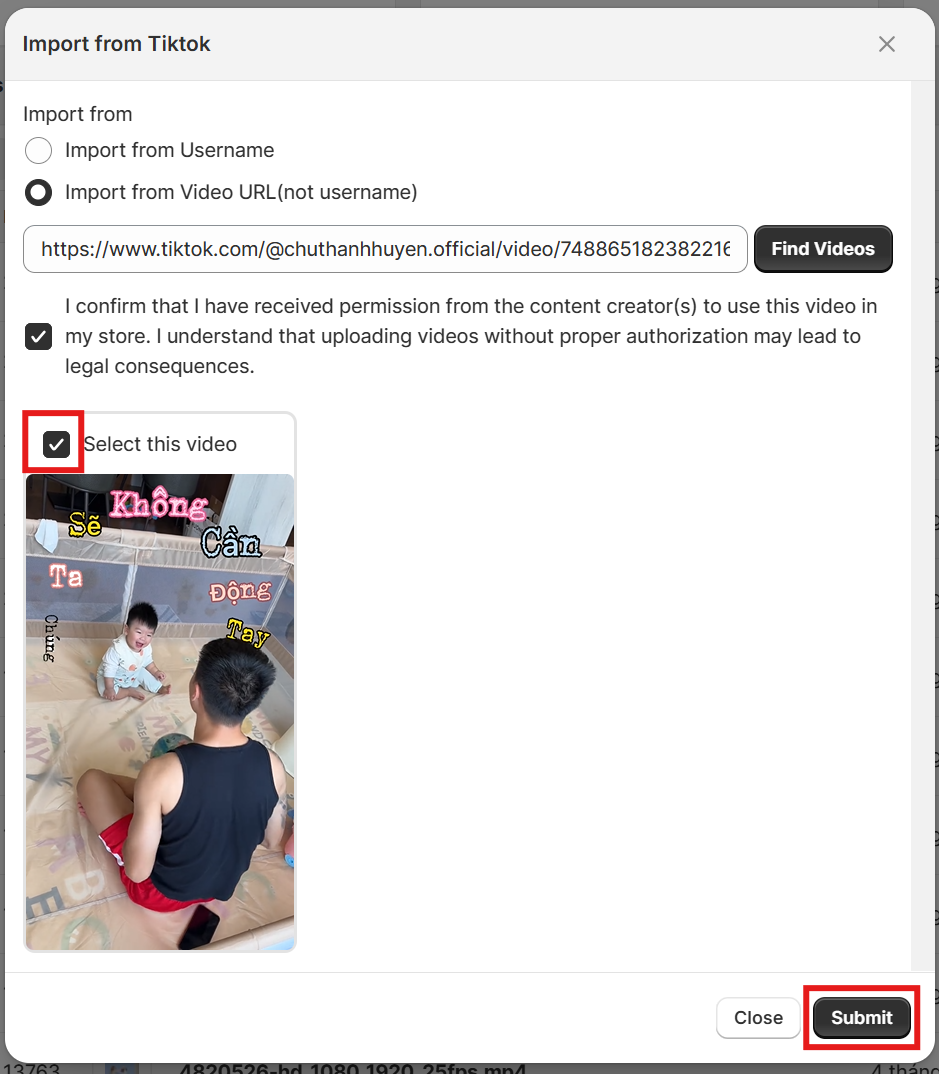
Or Import from video URL: input URL of Tiktok video and repeat the steps like importing from username.
From Reelfy main menu
Click Video library
Click Upload from Instagram
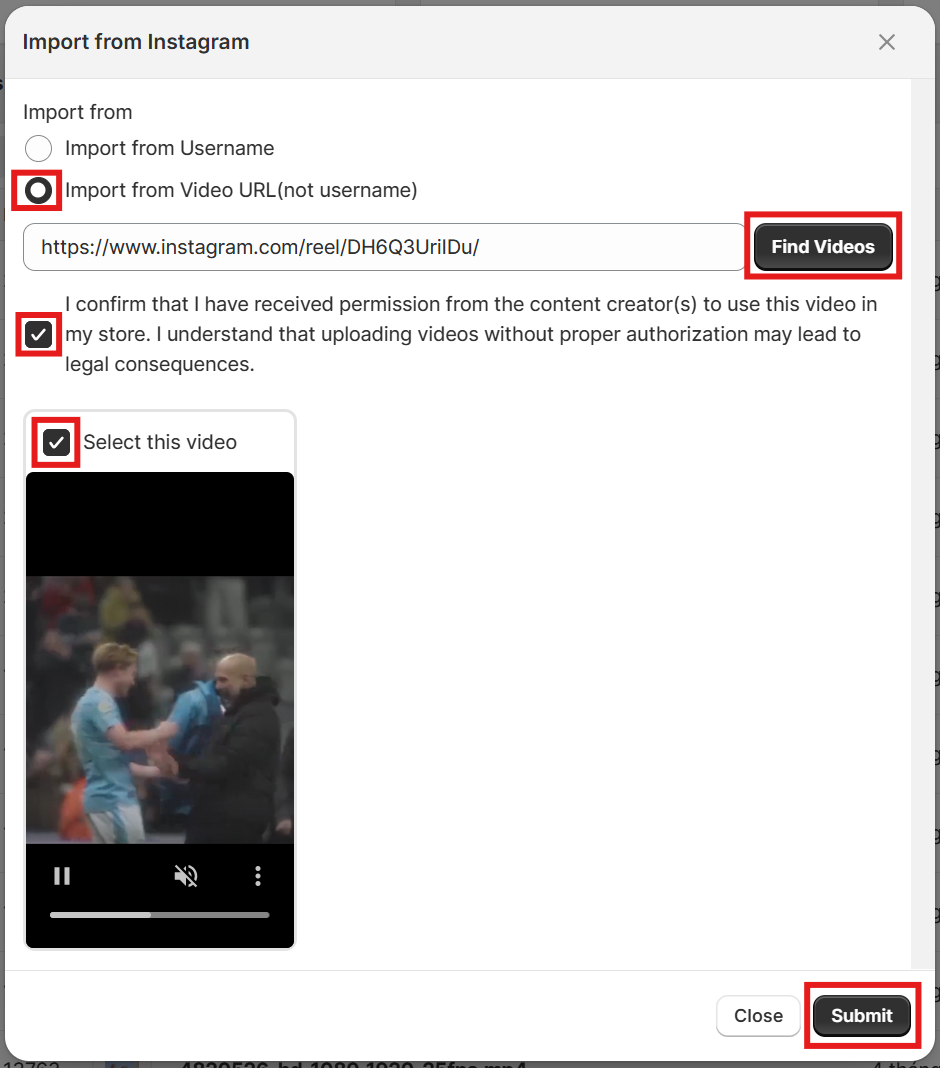
Similar to Tiktok, you should fulfill the same steps to import videos from Instagram.
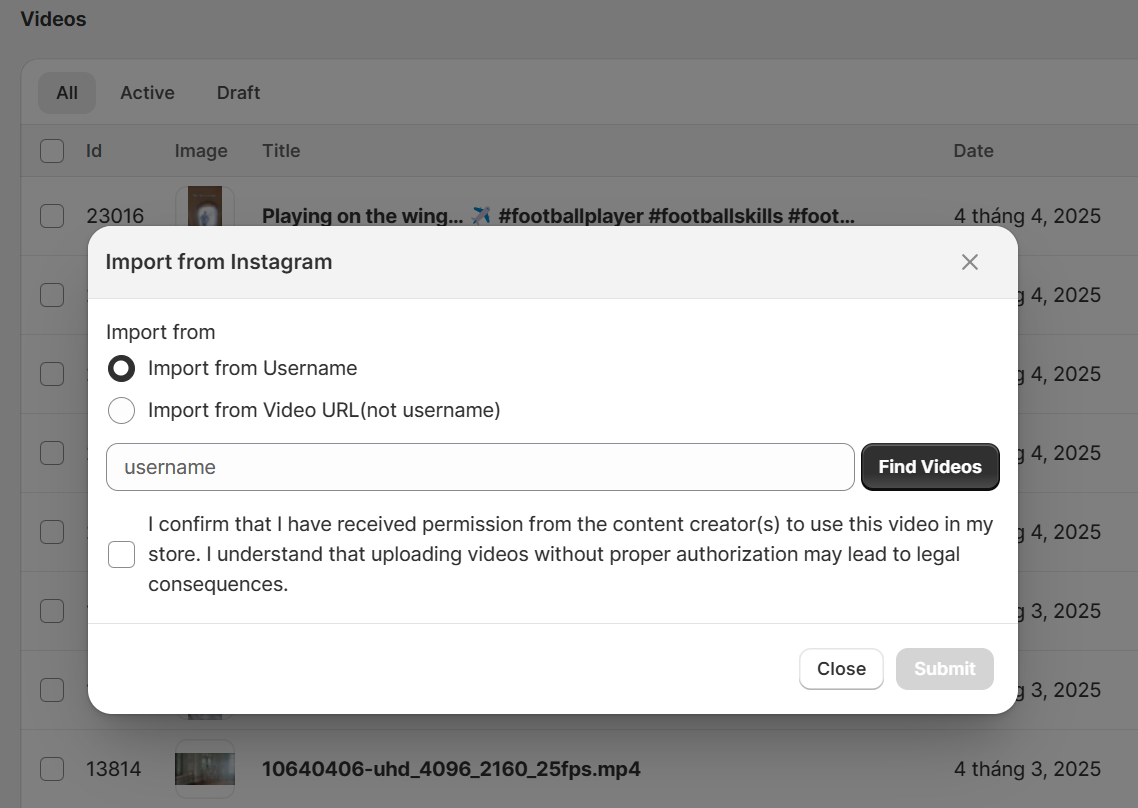
Here you can select:
Import from username
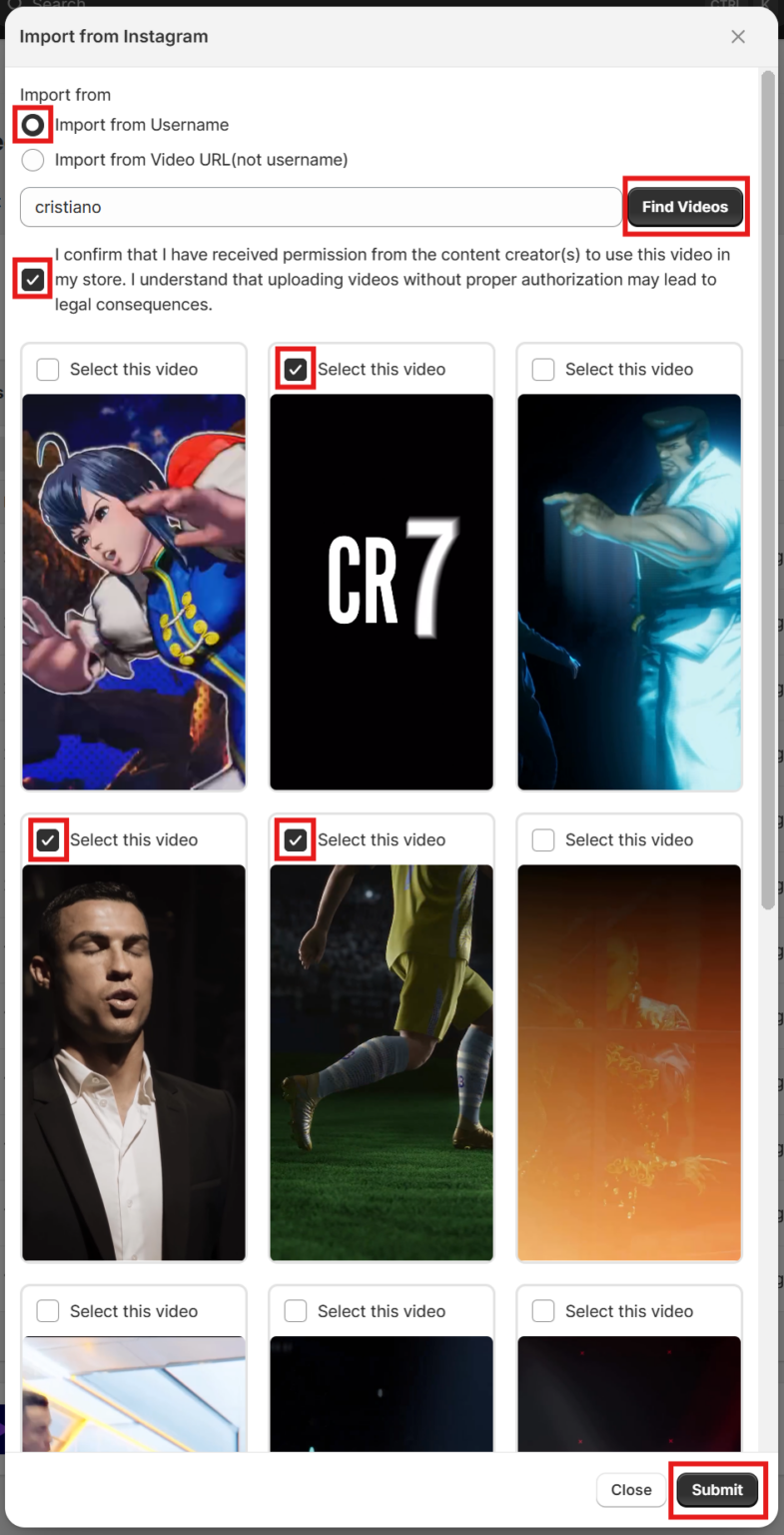
Or Import from video URL