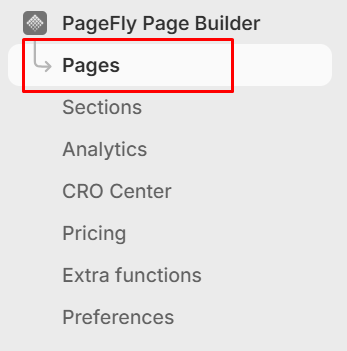
In the left menu, PageFly Page Builder → Pages, then click to open a PageFly page that you want to add Reelfy gallery into.
You can use one of these two ways to add Reelfy widget into a PageFly page.
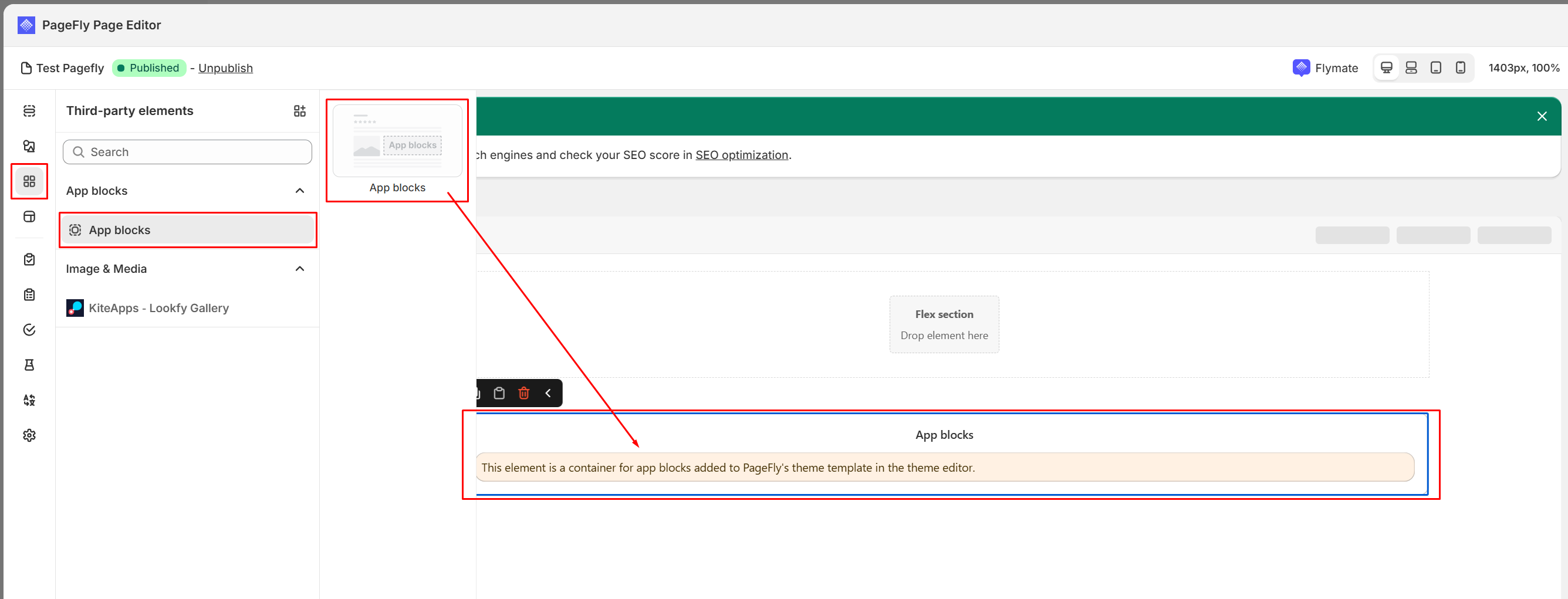
From the left sidebar, click Third-party elements icon, click App blocks, the App blocks element will appear on the right, drag it to your desired location.
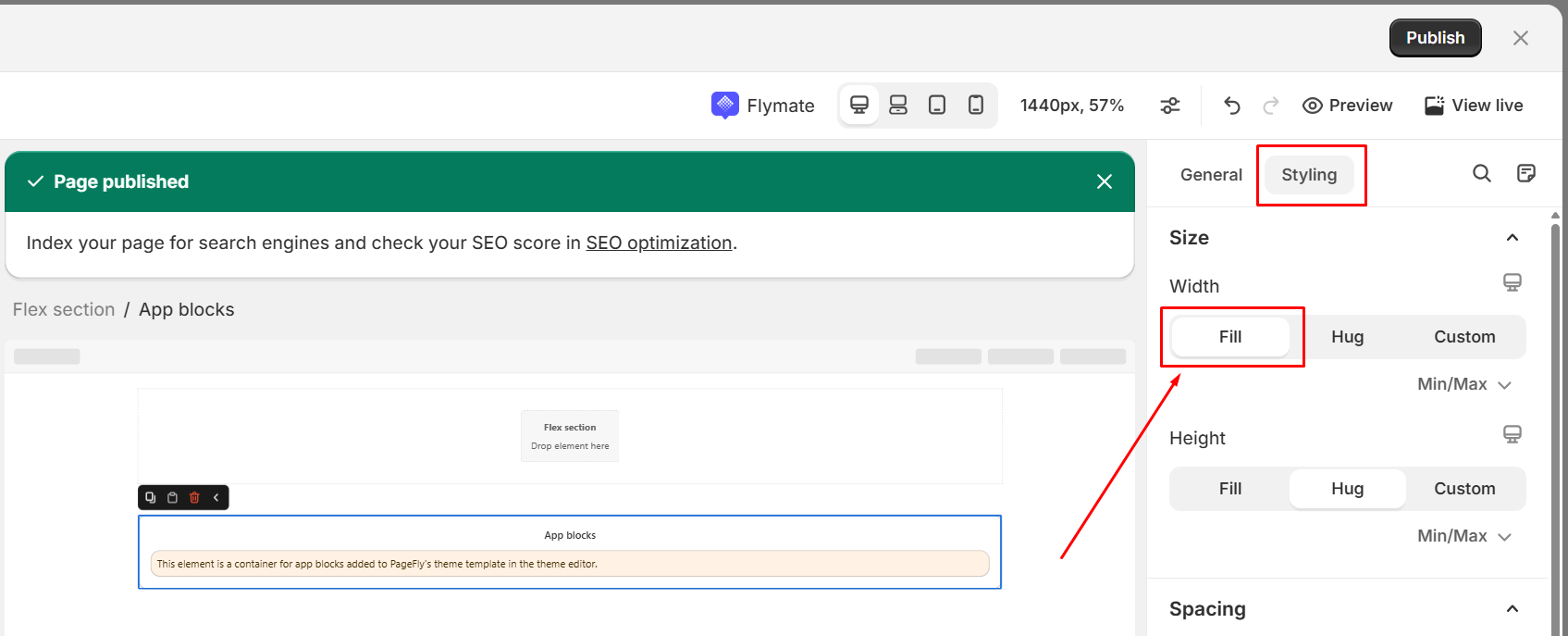
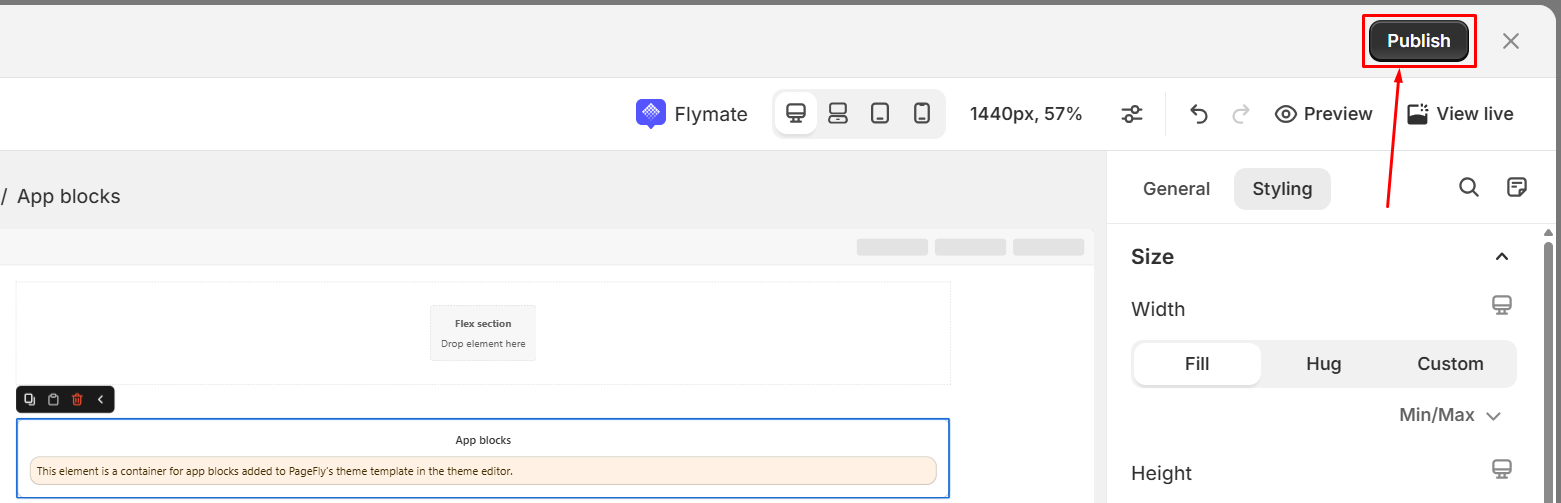
Important: in Pagefly editor click the app blocks, then in the tab Styling click Fill to setup the width.
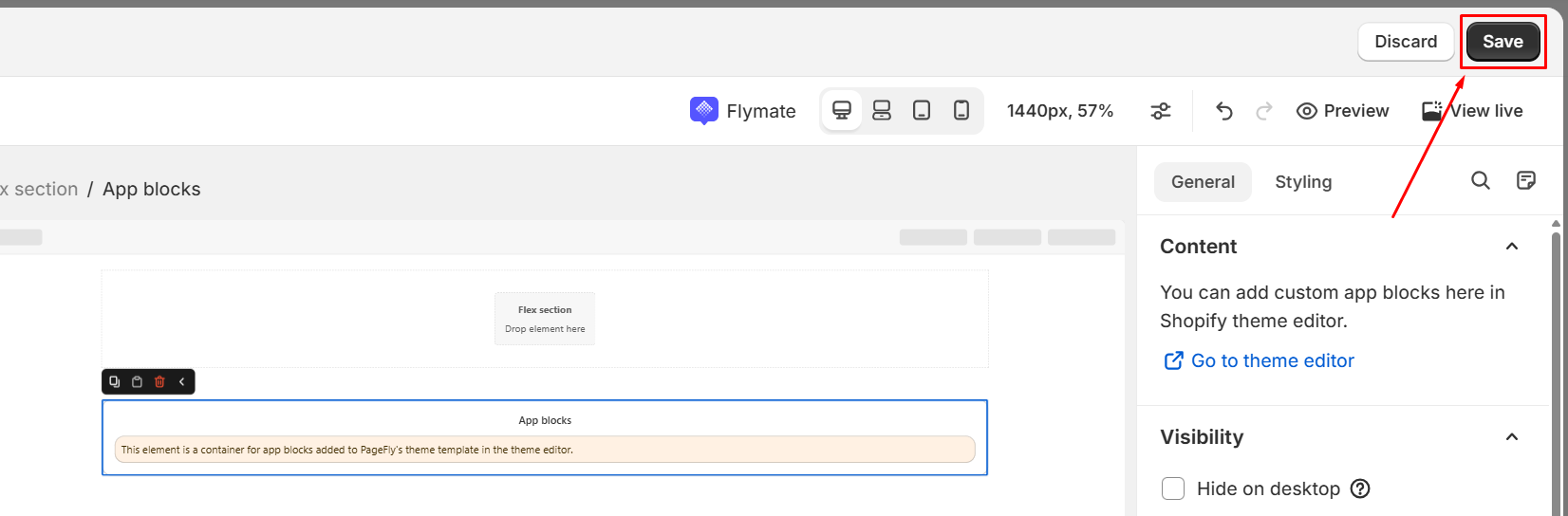
You need to click Save and then Publish to enable this element setup in the Shopify editor.
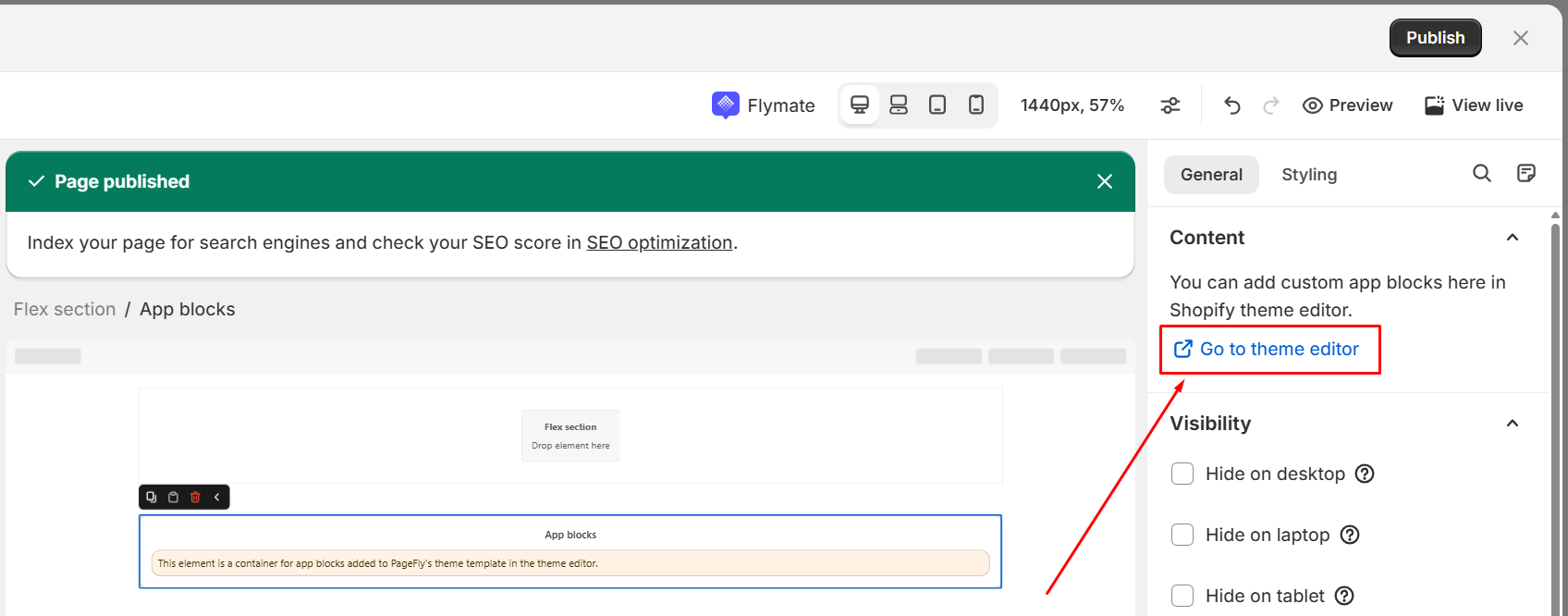
In Pagefly editor click the app blocks, then click Go to theme editor in the tab General, and you’ll be directed to the Theme Editor page for continued editing.
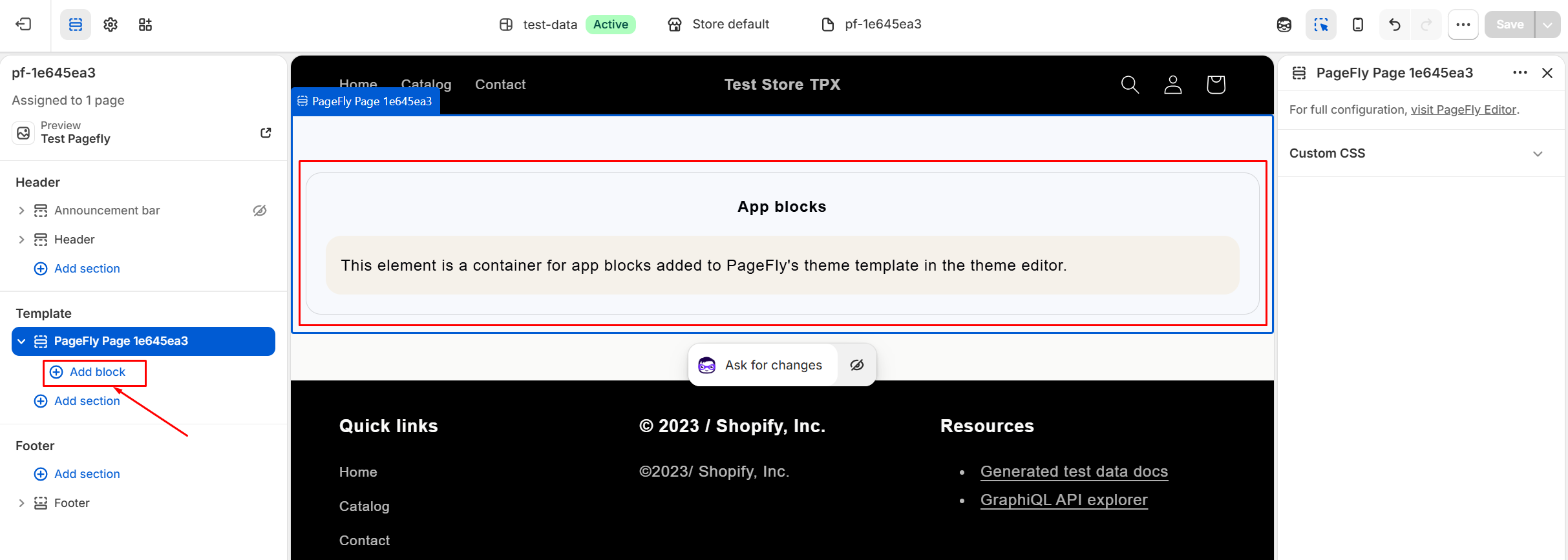
You will see the element to be added under “Template”. Click Add block in this section.
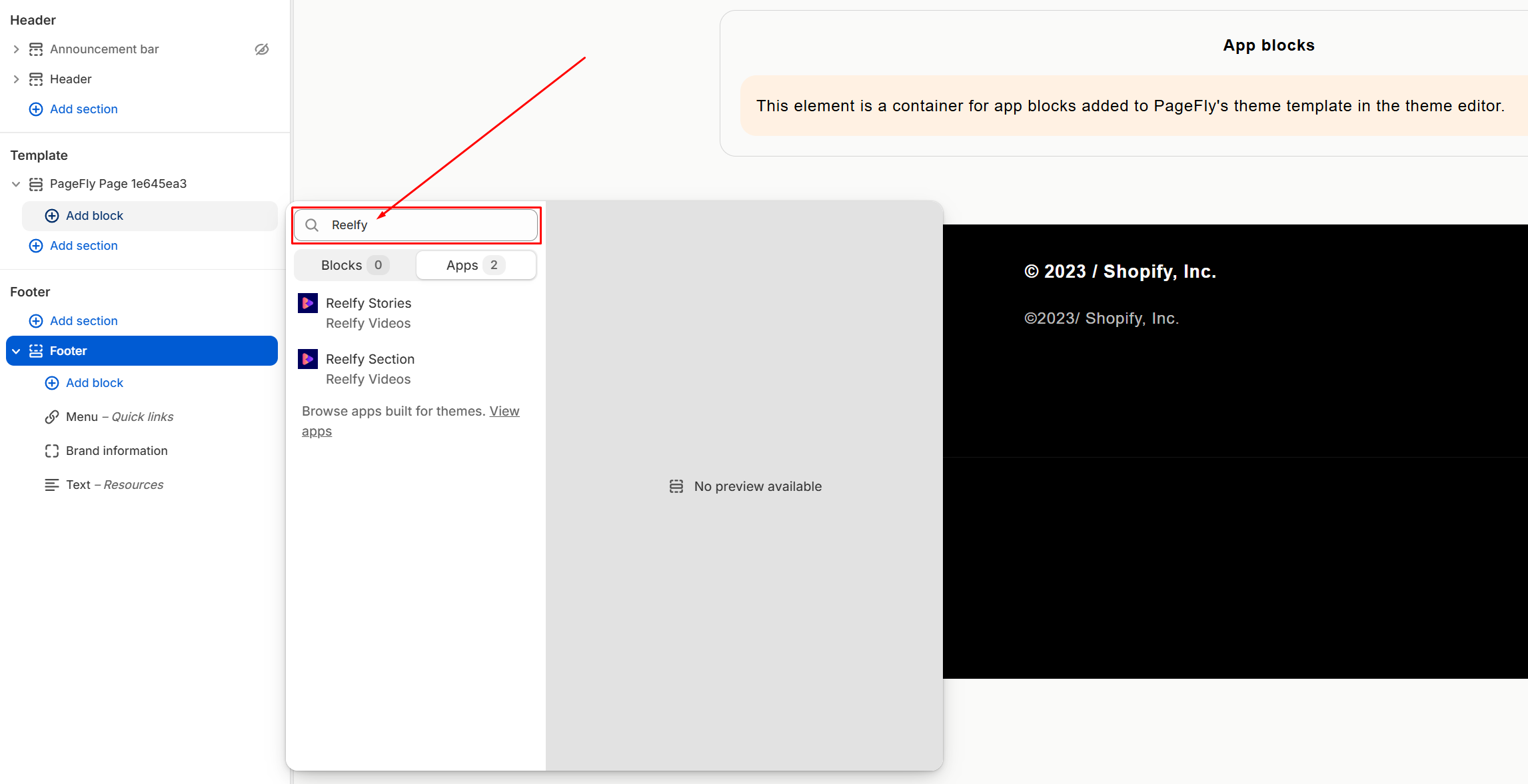
Type ‘Reelfy‘ in the searchbox.
Click to choose Reelfy type you want, then add the gallery ID of the widget you want to show.
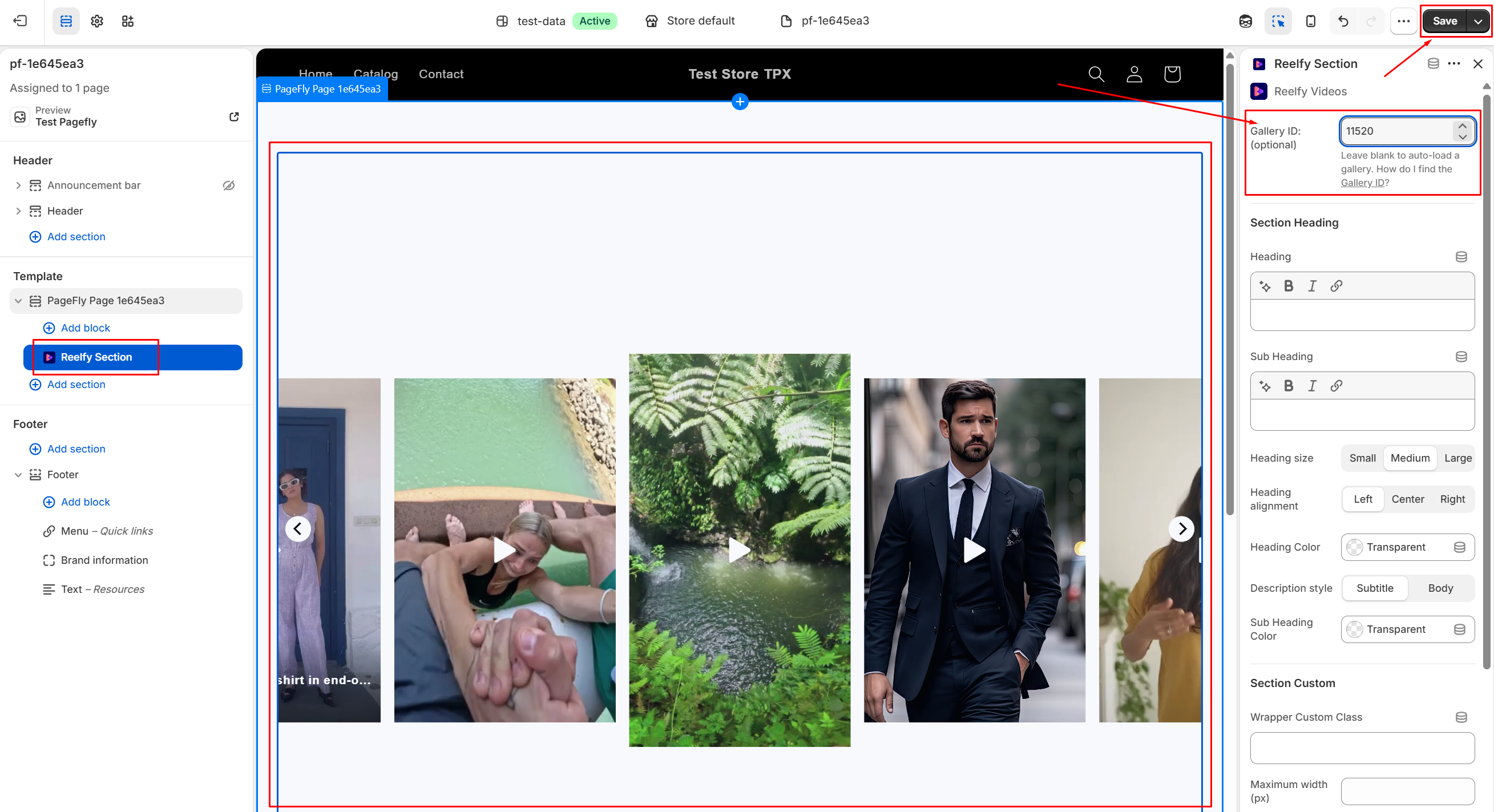
Hit Save button in the top-right corner and you are done!
Please follow these steps:
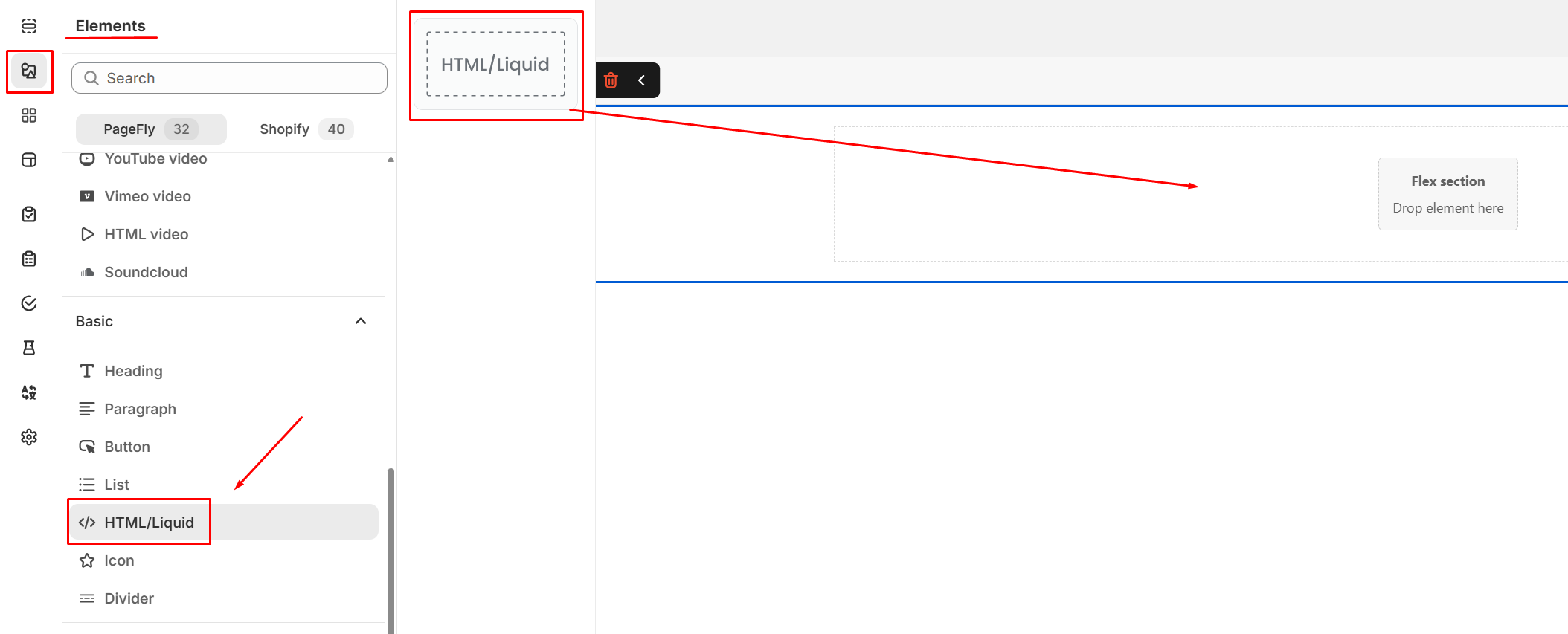
In the Elements, find HTML/Liquid, click on it, the HTML/Liquid block appears on the right side, drag and drop to add it into a section of the page.
In the General tab, click Open code editor

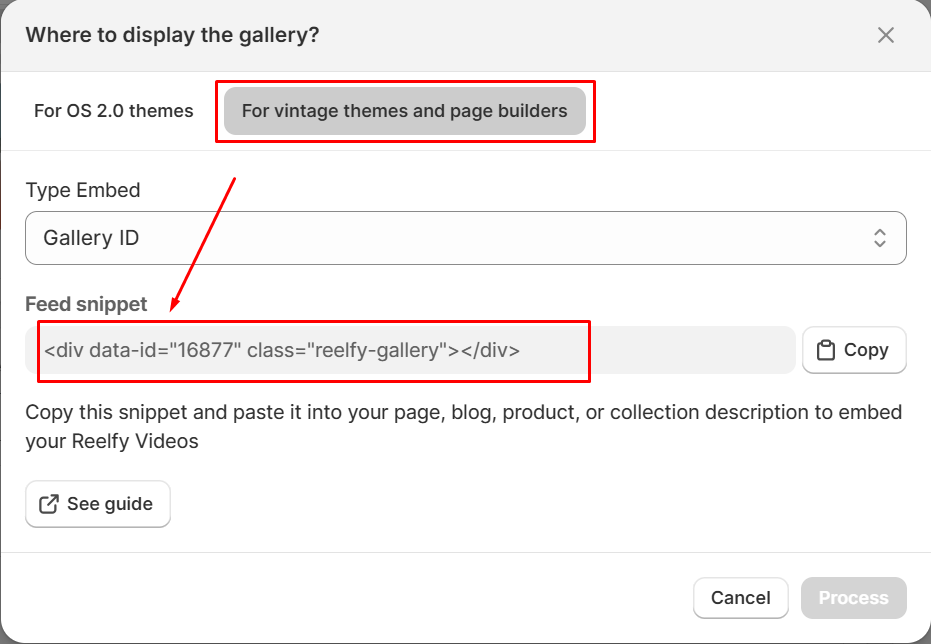
Open the Reelfy widget you want to display to copy the feed snippet. You can refer to this article for more information.
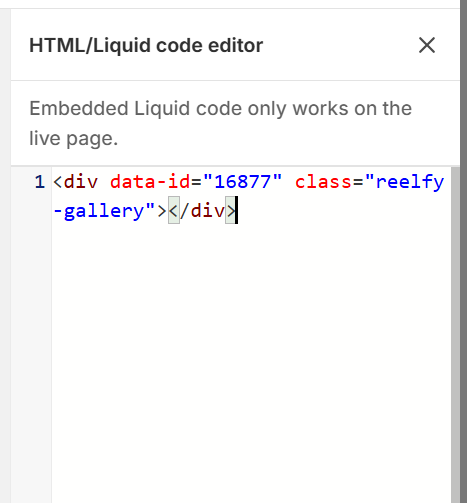
Paste the snippet into the code editor
Click Save and Publish to save and publish the reels on the page, and you are done.